November 8, 2026




 Written by adnandahduh123@gmail.com
Best IPTV UK service means smooth live channels, sharp HD and 4K quality, and a clear price you can trust. If you are comparing options, choosing the right IPTV UK subscription decides whether you enjoy stable streaming every day or fight with buffering when it matters most.
Our IPTV UK service gives you live sports, British channels, movies and series in one place. It works on Firestick, Smart TV, Android, iOS and other popular devices, so you can start watching in minutes. Our plans are flexible, with fast activation and friendly support, so you can pick the one that fits your home.
In this guide, you will see what makes an IPTV UK subscription worth paying for: channel selection, streaming stability, picture quality and value for money. Read on to compare, then choose your plan with confidence.
IPTV sends television over your broadband connection as a stream of data, so you need no dish, cable or engineer visit. The stream comes from the provider’s server, travels down your broadband line, passes through your router, and reaches your screen through an app or a set-top box. The app or box decodes the data so you can watch.
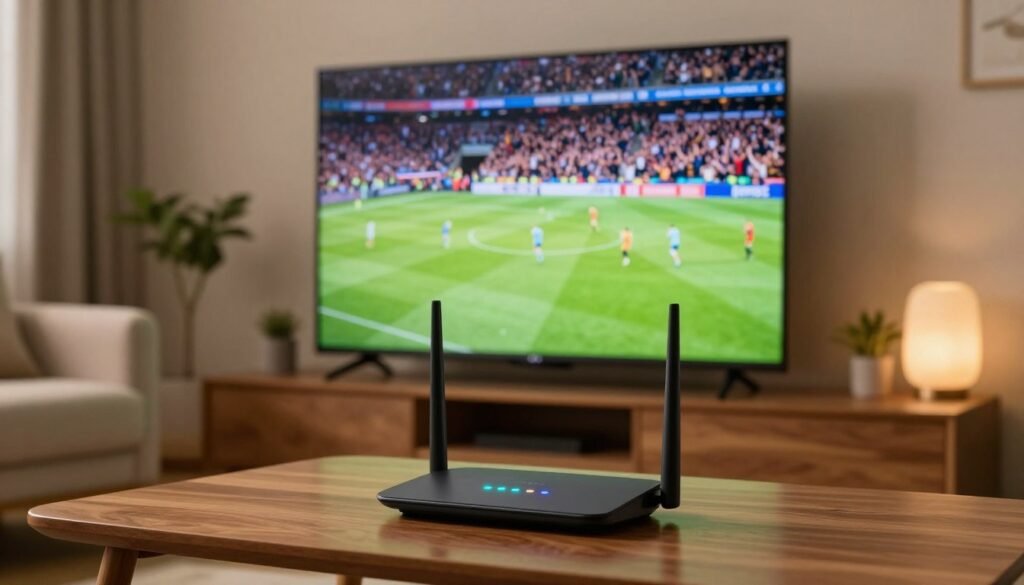
Take a live football match on a home fibre line. The provider’s server sends the match in small packets, and your router passes them to the app without a break. The on-screen schedule, called the EPG (electronic programme guide), is delivered the same way and shows what is on each channel and when it starts.
A fast line can still buffer. Buffering happens when packets arrive late or in uneven bursts, and a speed test measures only the average speed, not the steady flow. A buffering picture usually points to the provider’s server or your home network, so check which one before you blame the service.
Start with uptime and buffering, because a service that freezes during a Saturday kick-off fails the one job you pay it to do. Judge the best IPTV UK option on how it performs at peak hours, then compare the rest. Uptime is the share of time the servers stay online, and a provider should be able to state it as a figure.
An uptime of 99.9% allows about 8.8 hours of downtime in a year. An uptime of 99% allows about 3.7 days, which is far too much for a household that watches live sport every week. Ask for the figure in writing before you pay.
Use this checklist when you compare services:
Peak viewing for live football and cricket puts the heaviest load on a server. Ask how the provider handles those hours. A common mistake is judging a service on a short test during a quiet afternoon, when the servers have plenty of spare capacity.
Device support decides whether the service runs on the screen you already own. Check the app for your device before you look at anything else. Support matters most when the picture fails during a match, so check that the provider answers within hours, not days.
Ask the provider a direct question about a fault and note how long the reply takes. A reply that names the exact problem is a good sign. A reply that only sends you to a generic help page is not.
Compare plans by the total you pay across a full year, because a longer term usually lowers the monthly fee. A 12-month plan can cost less per month than a 1-month plan, but you are committed for the whole year. The yearly total is the only fair way to set two plans side by side.
Take a sample monthly plan at £10 a month. Across 12 months, that totals £120. A 12-month plan at £8 a month totals £96, which saves you £24 over the year. The saving only counts if the service holds up for the full term.
Shorter terms cost more per month but let you leave sooner. Choose a short term while you test the service at a live sport peak. Move to a longer term only when the service has proved itself.
A lifetime offer is only worth it if the terms are in writing. Ask what it covers, whether the connection limit stays the same, and what happens when the provider changes its service. A lifetime deal that can be altered without notice gives you little protection.
Check how renewals work before you sign up. Find out whether the price rises at the end of the term and how you cancel. Read the refund conditions too, so you know what you get back if the service fails.
A simultaneous connection is one screen playing at the same time. Connection limits commonly range from one screen to four or more. A household where two people watch different channels at once needs at least two connections.
Paying for four connections when one household uses two screens at once wastes money every month. Count the screens that play at the same time on a busy evening, not the number of devices you own. That count sets the connection limit you need.
Make a list of the five channels you watch most, then check each one by name. A large channel total says little about the channels in your living room. Many services show a big number, but only the channels on your list matter day to day.
Check that the service carries these channels:
Regional variants matter if you live outside London. A news bulletin for Scotland or Wales is not the same as the national version.
If your household watches in another language, check whether the service sells an international package. Confirm the exact channels in that package, not just the language label. Sports channels are covered in their own section, so check those separately.
Internet-delivered IPTV channels outside an Ofcom-regulated programme guide may not be regulated by Ofcom. Some click-through channels may not follow the UK watershed rules, so content unsuitable for children can appear before 9pm. Set parental controls on any device children use.
Check the catch-up window and whether it covers the programmes you miss most. A catch-up window of seven days is useful for a weekly drama, but it does not help with a series that airs a month later. Catch-up libraries often differ from the live list, so check both.
Look at the on-demand film and series library before you subscribe. Search for two or three titles you already know. If they are missing, the library does not suit your household.
A 4K stream needs at least 20 Mbps, so check your line’s evening speed before you pay for 4K. Most households can watch in HD without a fast line. The table below shows how much speed each picture quality needs.
| Resolution | Bitrate needed | Screen size that suits it | Household that suits it |
|---|---|---|---|
| SD | About 2-3 Mbps | Under 32 inches | A kitchen or bedroom set |
| HD | About 5-8 Mbps | 32 to 50 inches | A family that watches mostly live TV |
| Full HD | About 5-8 Mbps | 40 to 55 inches | A room where the picture is sharp at close range |
| 4K | 20 Mbps or more | 55 inches and up | A large living room with a fast, stable line |
SD is the lowest quality and suits small screens. HD is the usual choice for a family television. Full HD and HD need similar speeds, so the screen size and viewing distance decide which you see.
A 4K picture needs a large screen and a fast line. On a small screen or from a distance, most viewers cannot see the extra detail. Pay for 4K only when your screen and line both support it.
Check the download speed against the bitrate of your chosen resolution, then add a margin. Leave at least 50% spare capacity for phones, tablets and other devices on the same line. A line that gives 20 Mbps is tight for 4K with two other devices streaming.
Many households test speed once on a quiet morning and assume the result holds all day. That is a mistake. Evening use by everyone in the house can cut your speed sharply.
Adaptive bitrate lowers picture quality when the line slows, so the picture drops rather than freezing. Ask whether your app and the service support it. A service with adaptive bitrate keeps a match watchable when the line dips.
Anti-freeze features help during short slowdowns, but they cannot fix a line that is too slow for the resolution you chose. Choose a lower quality if your line is the limit.
Your device decides the app, so check which app runs on your Firestick, Smart TV or phone before you subscribe. Each device has its own official app source. The table below shows the most common pairings.
| Device | Common app | Where to get it |
|---|---|---|
| Firestick and Android TV | TiviMate | Amazon App Store or Google Play |
| Samsung, LG and Sony Smart TVs | IPTV Smarters Pro | The TV app store |
| iPhone and iPad | GSE Smart IPTV | Apple App Store |
| Windows and Mac | IPTV Smarters Pro | Its official download site |
Install your app from the official store for your device. Never install an app from an unofficial site, because it can carry malware that spies on your accounts. Check the developer name in the store before you press install.
On a Firestick or Android TV, the app usually sits in the main menu after install. On a Smart TV, search the TV app store by the app name. Open the app once to check it starts before you enter any details.
Phones and tablets run the same kind of app as the TV, but the screen is smaller. A phone is useful for catching a match when you are away from home. Use Wi-Fi where you can, because mobile data may run out during a long match.
Computers can run IPTV Smarters Pro from its official download site. Download only from the developer’s own page. Keep the app updated so new features and fixes arrive.
Providers usually supply one of three connection formats. An M3U link is a single web address for the channel list. Xtream Codes details use a server URL, a username and a password. Some apps use their own login, where you enter details the provider has issued.
Your app must accept the format the provider gives you. An M3U link will not work in an app that asks for Xtream Codes details. Check this before you pay, so you do not waste a trial week.
Check the actual channel that shows your sport, because a sport in a list does not mean the channel that carries your match is included. Ask which channel carries your match. Then confirm that channel is on the service.
In the UK, Premier League matches are shown on Sky Sports and TNT Sports. TNT Sports carries most Champions League matches in the UK. Check that the service includes both channels if you follow those competitions.
Check the channel for a weekday match too. A Champions League match on a Tuesday night is a common test of a service’s peak capacity.
Six Nations rugby is shown on BBC and ITV, and Formula 1 races are shown in the UK on Sky Sports F1. Check that your service carries these exact channels before you subscribe. A service that offers the sport name but not the channel will miss the race.
For cricket, tennis and combat sports, check the broadcaster for each event before you subscribe. Coverage changes from year to year, so check the current listing for your event. Test the channel during its busiest slot, such as a live final on a Saturday afternoon, to see if the stream holds up.
A trial is only useful if it includes the channels and the peak hours you care about. Test during your main sport, not a quiet evening. A trial that runs only on a weekday morning tells you very little about match night.
Check what the trial includes before you start it. A trial should include the channels, catch-up and device app you plan to use. A trial that hides the sport channels you need is not a real test.
Start the trial on the device you will use most. Note the buffering you see during each match, and write down the time.
Use this list to judge support before you pay:
Send one technical question during the trial. Time the reply and read it closely. A useful reply solves the fault or explains the next step.
Card, PayPal and Direct Debit are common payment methods for UK subscriptions. Choose a method that lets you stop payments easily. Check how a refund works if the service fails in the first month.
Under UK distance-selling rules, a buyer generally has 14 days to cancel an online service. This right can end once the service has started with your agreement. Ask the provider whether the 14-day cancellation right still applies after the trial begins.
Start by checking your download speed, then install the app from its official store before you enter anything. A download speed of at least 15 Mbps leaves room for HD. Setup takes about 15-20 minutes once the app is installed.
Choose a provider that supports the device you own, then buy only after the trial shows the service works. Make sure the connection format matches your app. Keep your receipt and the login details in a safe place.
Follow these steps in order:
Retyping credentials is a common source of failure. A capital letter in the wrong place, or a space added at the end, stops the login. Copy and paste the details if your device allows it.
Once the channels load, open the EPG, the on-screen schedule that shows the programme on each channel and when it starts. Compare the EPG with a programme you know is on now, such as the evening news at its usual time. The times should match within a minute or two.
Check the on-demand library next. Open one title and confirm it plays from start to finish. A guide that lags behind the broadcast shows that the provider’s feed needs attention.
The IPTV technology itself is lawful, so the question that matters is whether the provider holds the rights to the channels and programmes it shows. A service can use lawful technology and still sell content it has no right to show. Check the rights before you subscribe.
IPTV is a delivery method, like satellite or cable. Using it does not break the law on its own. The television licence rules still apply to what you watch, whatever method you use.
The table below shows when a TV Licence is needed.
| Licence or case | Cost in 2026 | When it applies |
|---|---|---|
| Colour TV Licence | £180 | Watching or recording any live TV channel, including when streamed over the internet |
| Black-and-white TV Licence | £60.50 | Watching or recording live TV on a black-and-white set |
| BBC iPlayer | Covered by the colour licence | Live, catch-up or on-demand BBC content |
| On-demand only, non-BBC service | No licence needed | Watching only on-demand programmes on a TV service other than BBC iPlayer |
Ofcom’s broadcast rules do not apply to internet-delivered IPTV channels unless they appear on an Ofcom-regulated electronic programme guide. Check whether your channels appear on such a guide.
Ask the provider which broadcasters’ channels it carries. Ask whether it holds the rights to those channels and what it says about its content licence. A clear written answer is a good sign.
Many people assume a service is licensed because its app is easy to install. An easy install says nothing about the rights behind the channels. Check the provider’s answers before you pay.
Judge any service by the matches and channels you watch at peak times, because that is where cheap plans and strong plans separate. Compare the full yearly cost against the connection limit your household needs. Count the screens that play together on a busy evening, and pay for only that many.
Run a trial during your main live sport and write down every bit of buffering you see. Keep those notes with the trial dates. Start with a trial that covers your main sport and your main channels, and do not commit to a longer term until it holds up on a busy evening.

Discover the ultimate IPTV UK experience with HD channels, live sports, movies, and endless entertainment. Enjoy fast, reliable streaming, no lag, and 24/7 support on every UK device.
Copyright: © 2026 IPTV UK. All Rights Reserved.